

Install the plugin
1
Install the plugin
In Feishu, open the Plugin Marketplace, search for 文档智能解析(转 markdown), and install it.
2
Get an API key
In your Bitable workflow action, you need to fill in API Key. Prepare your SoMark API key in advance.
No API key yet? Go to the SoMark API Studio to get your API key.
Use the plugin in a Bitable workflow
1
Prepare fields in your Bitable
In your target Bitable, prepare an Attachment field to upload/store files. If you want to save the parsed result back into Bitable, add a Text field (optional).
2
Create a workflow
Open your Bitable and go to Workflow to create a new workflow.
3
Configure a trigger
Choose a trigger (for example Record created/updated or Manual trigger) and make sure the trigger provides the record variables that include your attachment field.
4
Add the plugin action
In workflow actions, find and add 文档智能解析(转 markdown).
5
Configure input variables
Configure the following fields in the action panel:
- Select document: Bind it to the attachment field from your trigger (or a file output from a previous step).
- API Key: Paste your SoMark API key, or click the + button on the right to insert a workflow variable/secret (recommended).
- (Optional) Configure other parameters such as Output Formats, Image Format, Formula Format, and Table Format as needed. If left empty, defaults apply. If you don’t select Output Formats, the action returns both
MarkdownandJSONby default. See Input parameters below for details.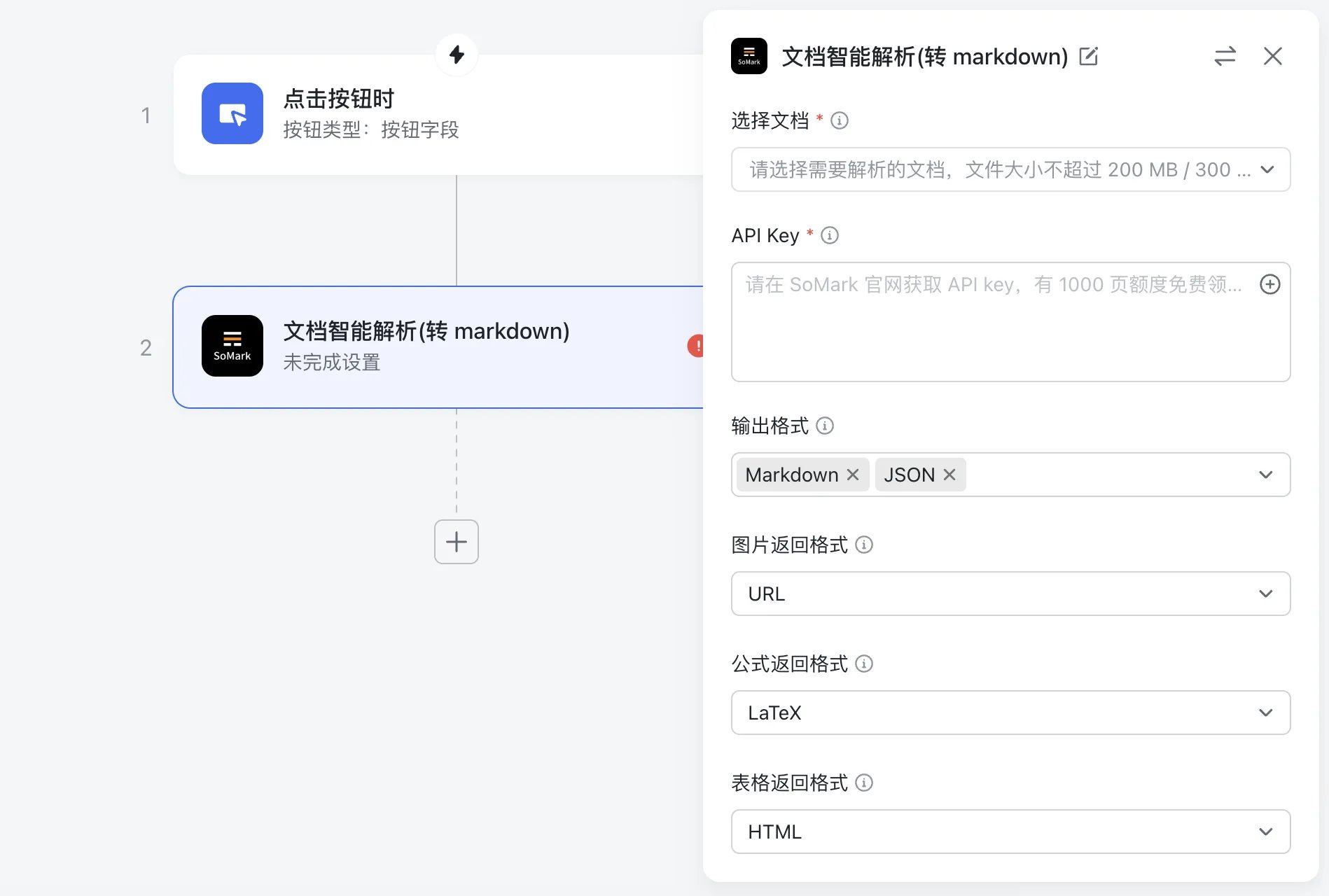
6
Use outputs in downstream actions
Reference output variables in subsequent actions, for example writing
markdown to a Bitable text field or sending it to a chat.